Call transfers
Every way the agent hands a caller to a person, and the number they ring.
A transfer hands a live caller from the AI Agent to someone on your team. Every transfer rings the same number, whatever set it off: a rule on this screen, a service you've routed to your team, or your after-hours policy.
Go to AI Agent, then Call Transfers, where one Save changes bar at the bottom saves everything on the page.
Turning on transfers
The first card is the master switch, and nothing else on the page appears until it's on.
- Enable call transfers — lets the agent hand a live call to your team. An agent that's already set up comes with it on.
- Transfer phone number (required) — the number every transferred call rings, no matter what set it off.
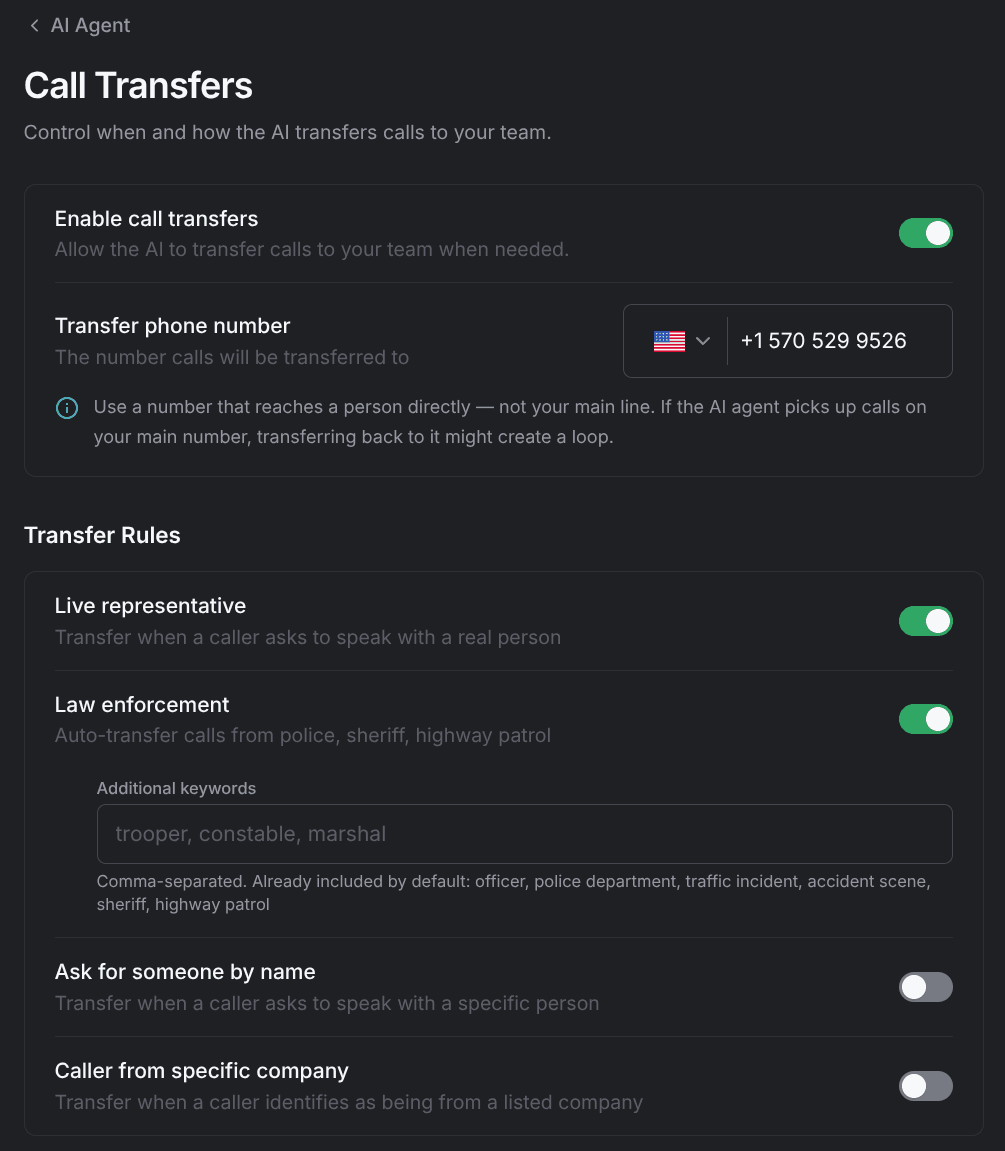
The transfer number must not forward back to the agent, or the agent ends up calling itself and the caller waits through a loop. Use a line that reaches a person directly — not the main number the agent already answers.
Transfer rules
The Transfer Rules card holds four rules, each a toggle, and a fifth card covers anything they miss. The agent applies them to what the caller says on the call. Two are on the moment you enable transfers; the other two do nothing until you give them a list.
Live representative
The agent transfers as soon as a caller asks for a real person. On by default, with nothing to configure.
Law enforcement
The agent transfers calls from police, sheriff, and highway patrol. On by default. The agent already recognizes six phrases: officer, police department, traffic incident, accident scene, sheriff, and highway patrol.
- Additional keywords (optional) — comma-separated phrases the agent recognizes on top of the six built-in ones, for example trooper, constable, marshal. Up to 20 keywords of 80 characters each.
Ask for someone by name
The agent transfers when a caller asks for a specific person. Off until you add names.
- Staff names (required while the rule is on) — the people a caller can ask for by name, for example John, Sarah, Mike. Up to 20 names of 80 characters each.
Caller from specific company
The agent transfers when a caller says they're calling from one of your accounts. Off until you add companies.
- Company names (required while the rule is on) — the motor clubs and accounts you want a person to handle, for example AAA, State Farm, Geico. Up to 20 names of 80 characters each.
Custom scenarios
Custom scenarios live on their own Custom Scenarios card and cover anything the four rules above don't. Off until you add scenarios.
- Additional transfer scenarios — turns the list on.
- Add scenario (required while the rule is on) — adds one situation per line under Transfer when any of these happen:, for example If the caller asks about employment or job opportunities. Up to 20 lines of 180 characters each.
Turning a rule off clears its list when you save. Switch the rule back on later and you retype the names, keywords, or scenarios.
Transfers you set elsewhere
The rules above are the transfers that come from what a caller says. These come from how you've set up a service, your dispatch and impound calls, or your hours, and they ring the same transfer number. Each one is documented where you configure it.
| Trigger | Where you set it |
|---|---|
| A vehicle class set to Transfer on any service | Choose what the agent handles |
| Winch out and recovery, and RVs, motorhomes, trailers, and boats | Choose what the agent handles |
| Dispatch calls set to Transfer, or a dispatch escalation scenario | Dispatch settings |
| Impound calls set to Transfer, or an impound escalation scenario | Impound settings |
| A call outside business hours with the after-hours policy set to Transfer | Set up your agent |
With transfers set, decide who hears about the jobs the agent creates on Notifications.