Choose what the agent handles
What the agent handles, transfers, or declines for each service and vehicle class.
Every service has two layers. First, whether you offer it at all; second, for each vehicle class, whether the AI Agent handles the call itself, transfers it to your team, or declines it. Each of the six services has its own page.
Go to AI Agent, then Dispatch Services and pick a service. Each service page starts with the Offer this service switch, and the vehicle settings appear only once the service is offered. The Dispatch Services section is available when dispatch calls are set to AI Handles. Otherwise the section is covered by an Enable AI Handling button leading to Dispatch settings.
The vehicle-class matrix
The Vehicle Types card gives every vehicle class its own three-way choice, so one service can be handled for small cars and transferred for big trucks.
| Option | What the agent does |
|---|---|
| AI Handles | Collects the caller's details and creates the job. |
| Transfer | Hands the call to your team at your transfer number. |
| Not Offered | Tells the caller the service isn't available for that vehicle. |
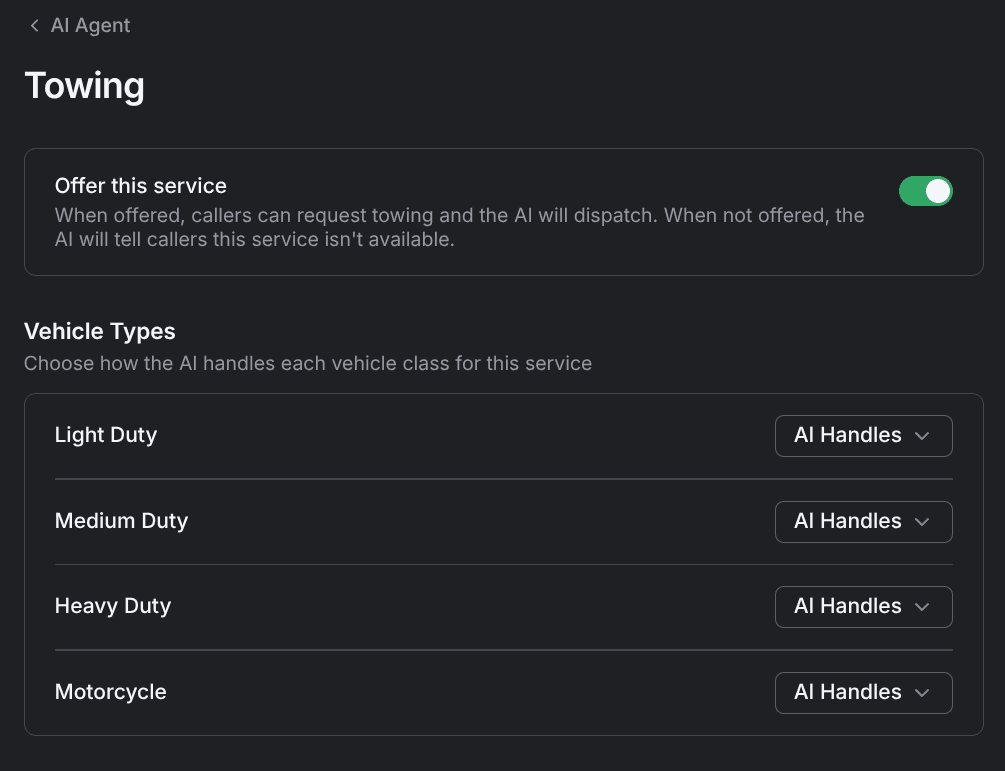
Light Duty, Medium Duty, Heavy Duty, and Motorcycle each offer the same three options, and every class is set to AI Handles by default. Winch Out & Recovery is the one exception — it always transfers.
Not Offered isn't a handoff — nobody picks the call up. Pick Transfer when you want a person to take it instead.
Service by service
Five services can be AI-handled class by class; the sixth is transfer-only.
| Service | Vehicle classes you can set | Notes |
|---|---|---|
| Towing | Light Duty, Medium Duty, Heavy Duty, Motorcycle | — |
| Jump Start | Light Duty, Medium Duty, Heavy Duty, Motorcycle | — |
| Tire Change | Light Duty, Medium Duty, Heavy Duty, Motorcycle | — |
| Fuel Delivery | Light Duty, Medium Duty, Heavy Duty, Motorcycle | Adds a Fuel amount field |
| Lockout Service | Light Duty, Medium Duty, Heavy Duty | No Motorcycle row |
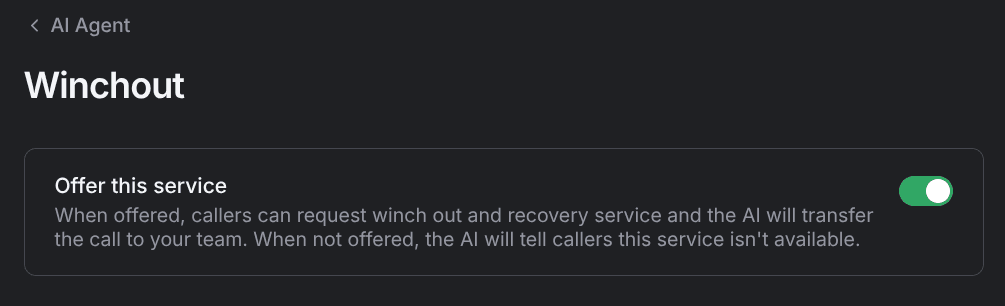
| Winch Out & Recovery | None | Offer switch only; always transfers |
Two of them behave differently from the rest:
- Fuel Delivery — when any class is AI-handled, a Fuel amount field sets how much fuel the agent promises the caller, for example 5 gallons. It's free text up to 120 characters, 2 gallons by default.
- Winch Out & Recovery — the page is the offer switch and nothing else. There's no vehicle card, because every winch-out and recovery request goes to your team. Turning the service off makes the agent tell callers it isn't available.
Vehicles that always transfer
Anything outside the four standard classes (RVs, motorhomes, trailers, boats, and other non-standard vehicles) goes to your team no matter how the service is configured. The agent doesn't create jobs for them.
Every transfer, whether it comes from a non-standard vehicle or from a class you set to Transfer, rings your transfer number. See Call transfers.
How vehicles are classified
The agent works the class out from the vehicle's year, make, and model, then applies the matching row of the service's Vehicle Types card. It doesn't ask the caller which class the vehicle is, and the class it settles on is recorded on the job.
Two numbers under Weight Limits on Dispatch settings draw the lines between the four classes:
- Light Duty — up to the light duty max, 10,000 lbs by default.
- Medium Duty — above light duty, up to the medium duty max, 26,000 lbs by default.
- Heavy Duty — anything above the medium duty max.
- Motorcycle — classified by vehicle type rather than weight.
Raise or lower those two limits and the same vehicle can land in a different class, which changes which setting applies to the call.
ETA, weight limits, and whether the agent can send a truck to a job all live on Dispatch settings.